


Release assets and Spotify Canvas, generated from one link
Paste a Spotify or YouTube link and get every piece of your release campaign — coming soon, countdown, out now and the Canvas — in story, post and square formats, as images or animated videos with audio.
The free plan includes 30 credits to start, no card needed.
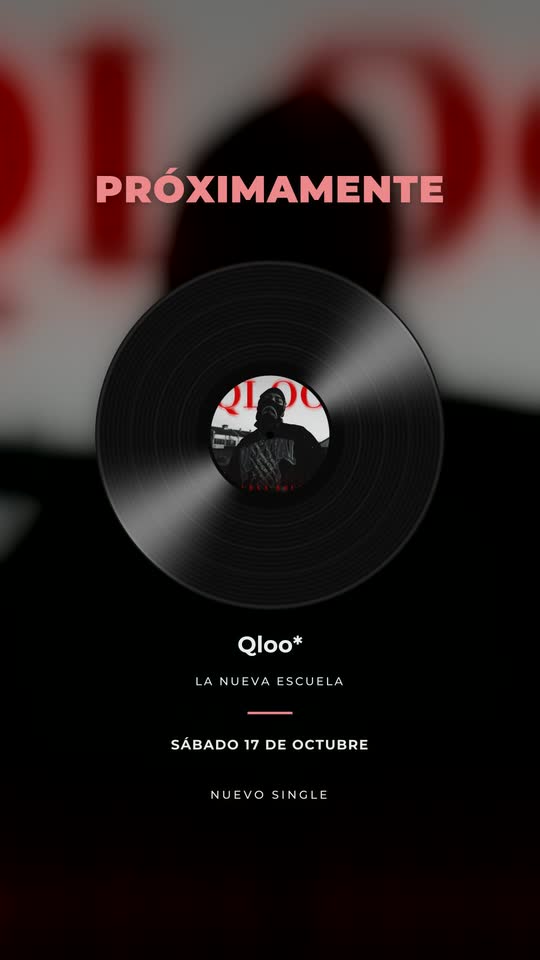 Coming soon
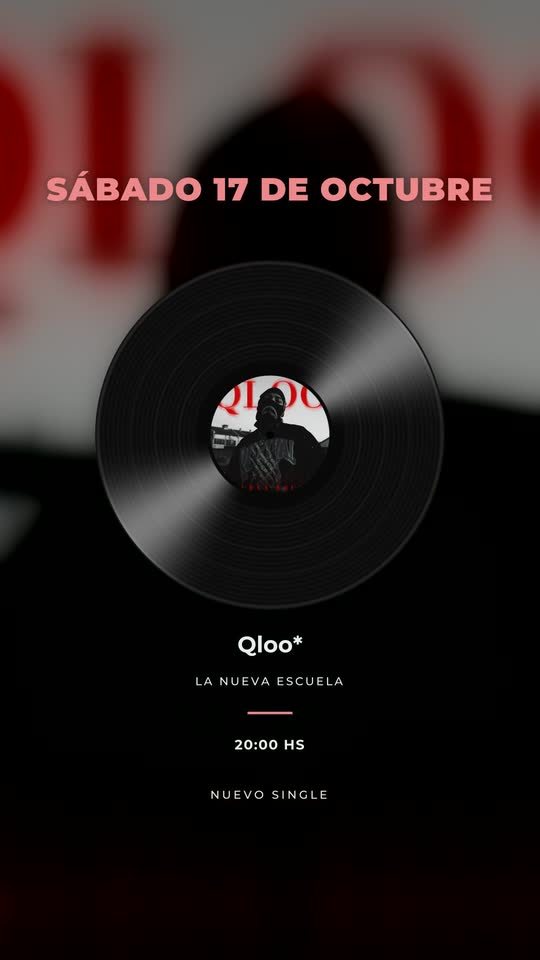 Release date
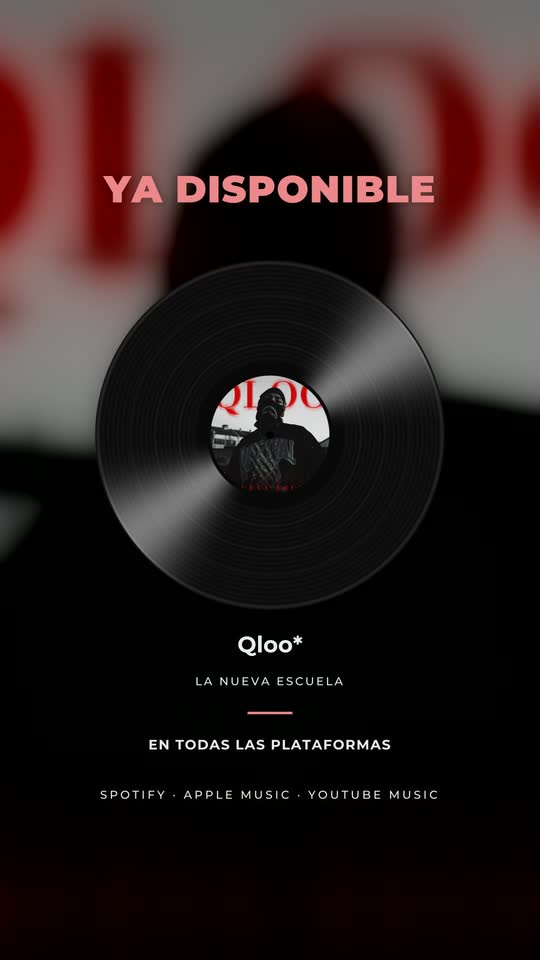 Out now
Every piece of the release, ready for social
Each piece comes in three formats: story 9:16 (1080×1920), post 4:5 (1080×1350) and square (1080×1080).
| Piece | When to post it | Output |
|---|---|---|
| Coming soon | Announcement, 1–3 weeks before | Image or video |
| Release date | Right after the announcement | Image or video |
| 3 days left / 2 days left | Countdown during release week | Image or video |
| Tomorrow | The day before | Image or video |
| Today | Release day, before it goes live | Image or video |
| Out now | The moment it is on all platforms | Image or video with audio |
| Out now with the video | When the music video premieres | Video |
| Spotify Canvas | Uploaded in Spotify for Artists | 8-second vertical loop |
Animated pieces and the Canvas, with the song
Real pieces generated by TONTRIA for one release: the animated out-now story, the piece with the music video and the 8-second Spotify Canvas loop.
How to create release promo assets in minutes
- Paste the link of the release
A Spotify or YouTube link. TONTRIA takes the title, artist and cover. For unreleased music, upload the cover and the audio.
- Set the date
Add the release date and time. The texts of the countdown pieces are written for you, and you can edit them.
- Choose image or video
Images are instant. Animated videos add movement to the texts and background, the cover as a spinning vinyl or CD if you want, and a fragment of the song.
- Download everything
Download each piece or the whole set, organized by format.
The Spotify Canvas, included
The Canvas is the short vertical loop that plays behind a song in the Spotify app. TONTRIA makes it as an 8-second 9:16 loop:
- From the music video — a segment that follows the artist, with the end blended into the beginning so the loop is seamless.
- From the cover — no video? The animated cover works as a Canvas too.
Learn more in what a Spotify Canvas is and how to create one.
Why a consistent release campaign matters
A release is not one post. Announcing it, counting down and celebrating the day it comes out gives followers several chances to notice the song, pre-save it and come back on release day. The problem is the work: eight pieces in three formats is more than twenty files per single, and they all need to look like the same campaign.
TONTRIA generates the whole set from the same cover and the same information, so every piece matches. That leaves the team time for what can’t be automated — the music, the community and the strategy.
A simple release-week plan
- Two weeks before: post “coming soon” in feed and stories.
- Same week: announce the release date.
- Three and two days before: countdown stories, plus a clip of the song if you have a session or a teaser.
- The day before and the day of: “tomorrow” and “today”.
- Release: “out now” with audio, the lyric video on YouTube and the Canvas uploaded in Spotify for Artists.
- Video premiere: “out now with the video”.
For artists and for labels
Independent artists can run a professional-looking campaign without a designer. Labels and managers can produce the same set for every release in the roster, with each artist’s fonts and colors saved as a preset — see TONTRIA for labels.
Release assets: frequently asked questions
What release assets does TONTRIA generate?
From one Spotify or YouTube link: coming soon, release date, 3 days left, 2 days left, tomorrow, today and out now, plus an “out now with the video” piece and the Spotify Canvas. Each piece comes in story (9:16), post (4:5) and square (1:1).
Are the pieces images or videos?
Both. You can export each piece as an image or as an animated video with the song’s audio, ready to post as a story, a reel or a feed post.
How do I make a Spotify Canvas?
TONTRIA creates an 8-second vertical loop from your music video — following the artist — or, if you don’t have a video, from the animated cover. Download it and upload it from Spotify for Artists. Check Spotify for Artists for its current Canvas requirements.
Can I change the texts of each piece?
Yes. The texts are generated from the release information (title, artist and date), and you can edit any of them — for example to translate them or to add the time of the premiere.
Do I need a designer to use it?
No. The layouts are designed to work with any cover art. If you have brand presets saved, your fonts and colors are applied.
Does it work for an unreleased song?
Yes. Before the song is public you can upload the cover and audio yourself and fill in title, artist and release date.
Generate the assets for your next release
One link, the whole campaign, in three formats.
The free plan includes 30 credits to start, no card needed.